I built a tool with a 3D car to help my son learn to drive
Before his driving lessons, my son couldn't picture what happens inside a car: what is connected to what. With my coding assistant I built a tool around a 3D car. Then came parking, the motorway, the blind spot, and driving it yourself.
My son starts driving lessons soon. The clutch, the gearbox, idle, manual or automatic: he had trouble picturing how it all works inside. What is connected to what, and what moves when you press a pedal.
Words didn’t help. So I wanted something he could see.
I started with my coding assistant: a 3D car with all the parts, that you can actually drive. Start the engine, press the clutch, shift into 1st, and watch every part move.
Then I couldn’t stop.
The whole thing in three minutes:
What it does now
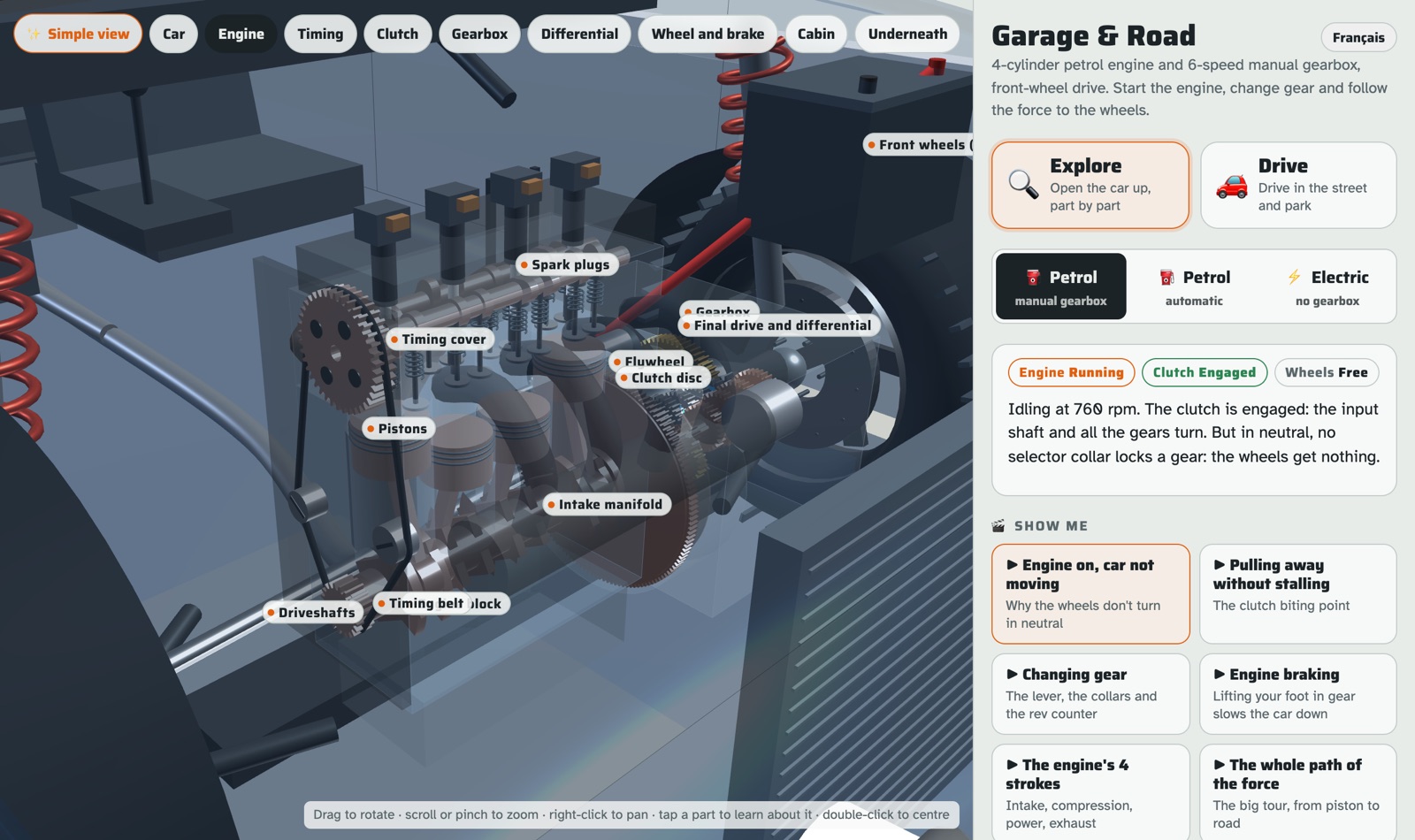
🔧 Open the car. Engine, clutch, gearbox, differential, wheels. Tap any part, it tells you what it does. Three cars: petrol with a manual gearbox, petrol automatic, and electric.
⚙️ Drive it, cut open. The pistons move, the clutch disc lets go, the collar locks the gear. Release the clutch too fast and the engine stalls. Like in a real car.
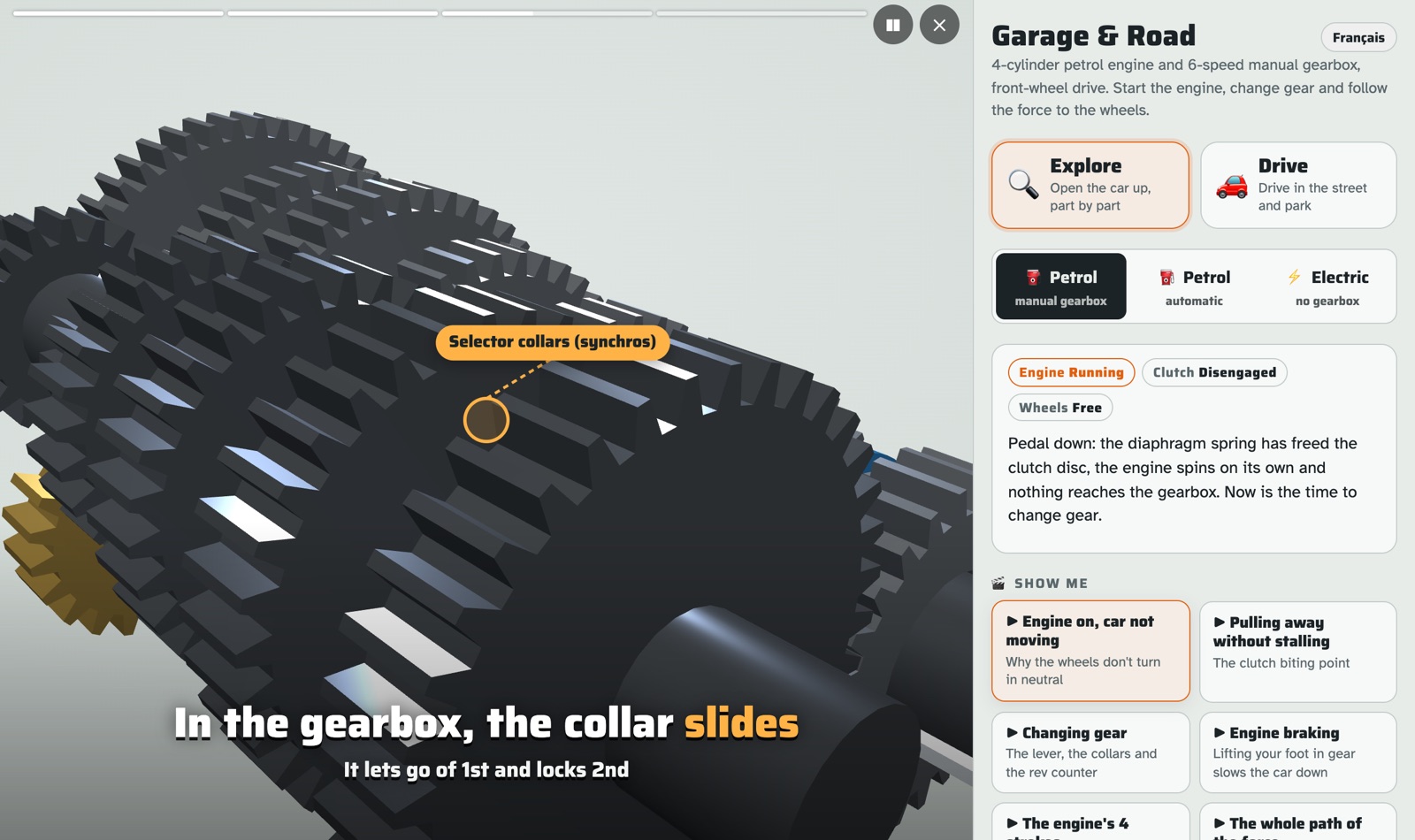
🎬 “Show me” videos. Short videos that direct themselves: the camera moves, a pointer shows the part, captions explain. One idea each. Why the car doesn’t move in neutral. Pulling away without stalling. Changing gear. Engine braking. How an electric car moves.
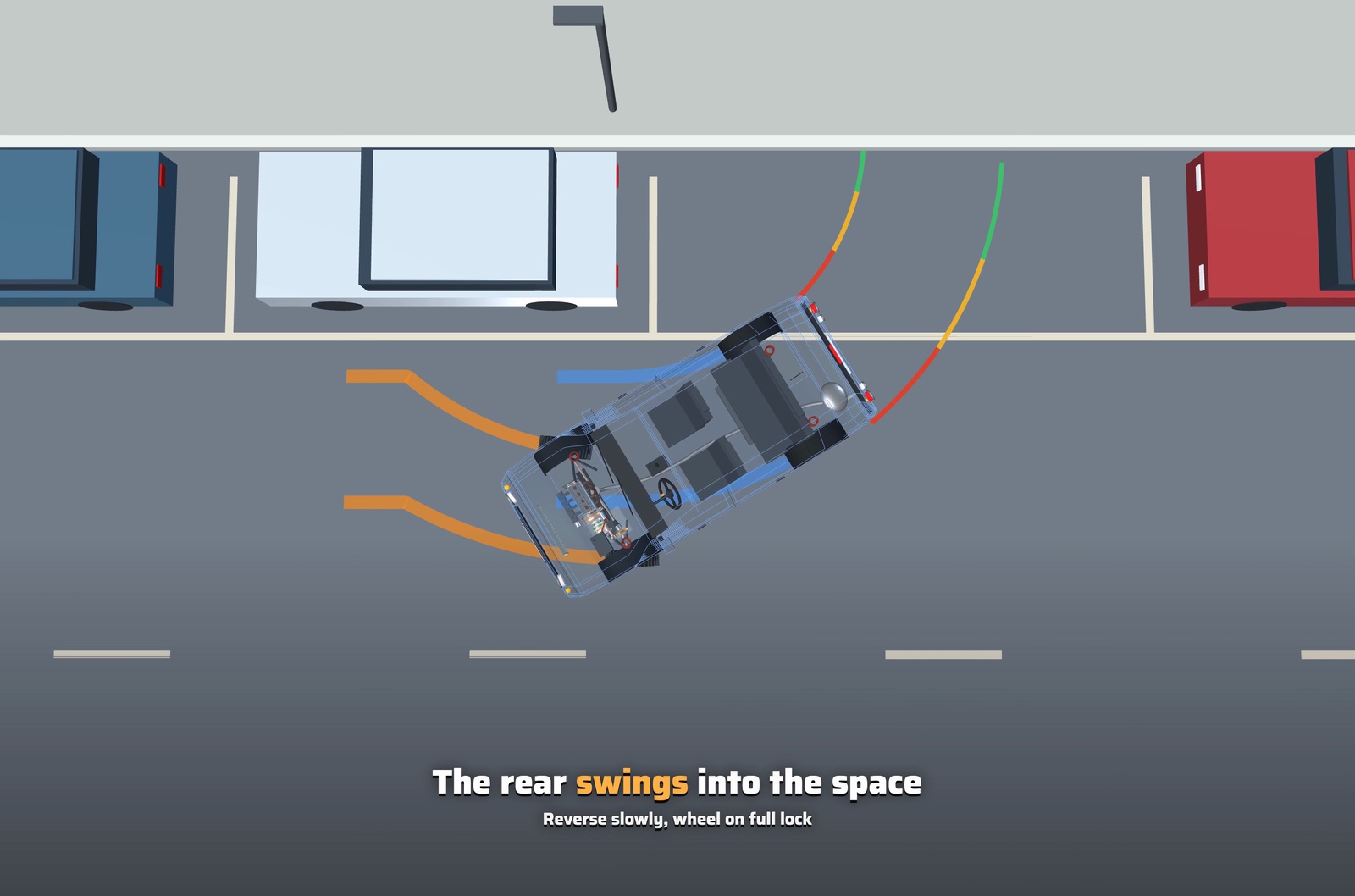
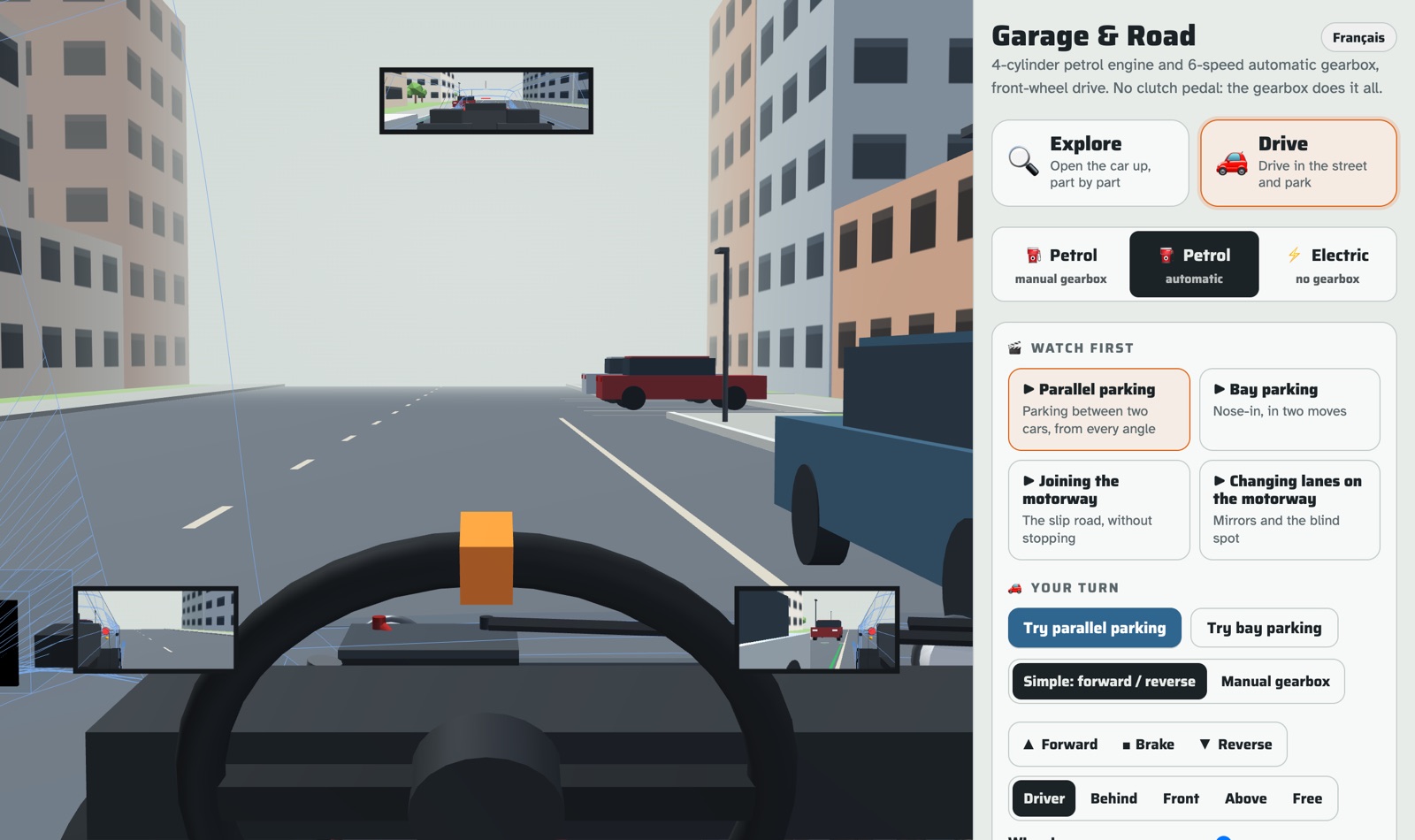
🅿️ Parking, from every angle. Parallel parking and bay parking, step by step. From above, from behind, from the pavement, from the driver’s seat. You see the steering wheel turn, the front wheels follow, the tyre tracks on the road, and the guide lines of a reversing camera.
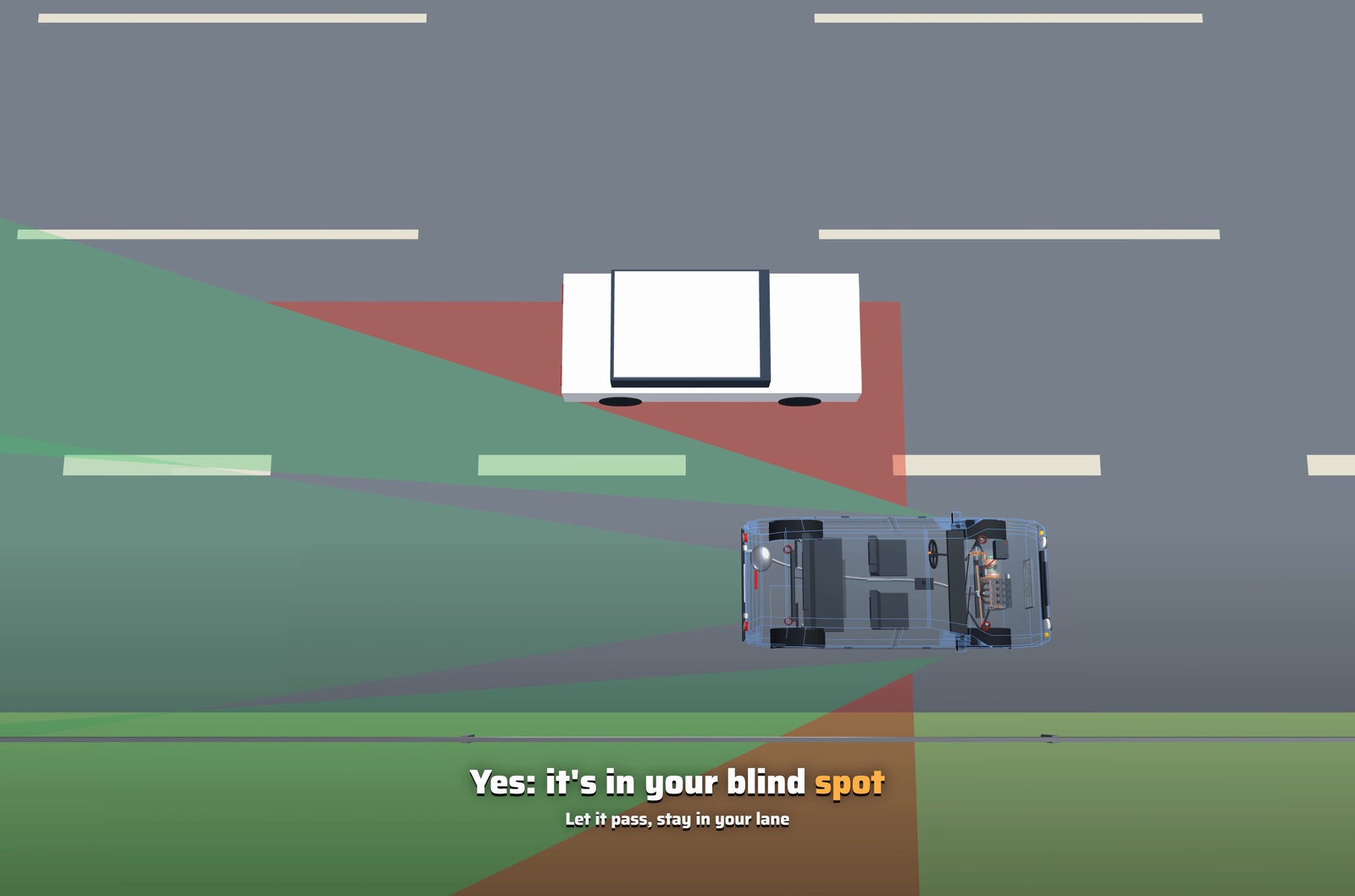
🛣️ The motorway. Joining it from the slip road: speed up, mirror, shoulder check, merge. Changing lanes. The mirrors show what they cover in green, the blind spot is in red, and a car disappears from the mirror while it’s still there.
🚗 Drive it yourself. Then you take the same car into a street and park it. Arrow keys or the buttons on a phone. Driver’s view with the three mirrors, parking sensors that beep, and a bump if you touch the kerb.
English and French. Works on a phone. One HTML file, about 3,000 lines, no server.
This could be a real product
I built it for my son. But I think it’s more than a hobby.
The car is not the interesting part. One scene, and a director that can show any situation from any angle. A new video is a list of shots, not a 3D project. Two or three cars, a few streets, and you can generate every scenario you need.
- 🚦 Driving schools: one short video per lesson, sent the evening before. The student knows what the manoeuvre looks like from outside the car.
- 📱 Theory test apps: the quiz becomes scenes. Every question seen from the driver’s seat, from above, from the cyclist.
- 🧰 Garages: a junior mechanic who needs to understand a fault, and see it. Connect an OBD reader, read the fault code, light up the part in 3D, then fix it.
Any other use case? Any need I don’t see? Tell me.
Make your own videos 🎥
That’s why I built it this way. None of the videos is hardcoded or animated by hand. Each one is a short list of shots: where the camera goes, which part to show, what the car does, what the caption says. The car, the streets and the motorway are already there.
So you don’t need me, and you don’t need 3D skills. Clone the repo, open your own coding assistant, and ask. For example:
- “Show why you press the clutch before you stop, from the driver’s seat and from under the car.”
- “Show why the engine screams in 1st gear at 50 km/h, with the rev counter.”
- “Show what happens in an automatic at a red light: the car in D, foot on the brake.”
- “After overtaking on the motorway, show how to move back to the right lane: mirror, indicator, shoulder check.”
- “Show bay parking in reverse, from above and from the driver’s seat.”
A few minutes later it plays.
It’s a prototype. Simple physics, toy streets, a few rough edges. But it could become much more :)
Try it (on a phone too) · Code on GitHub, MIT.